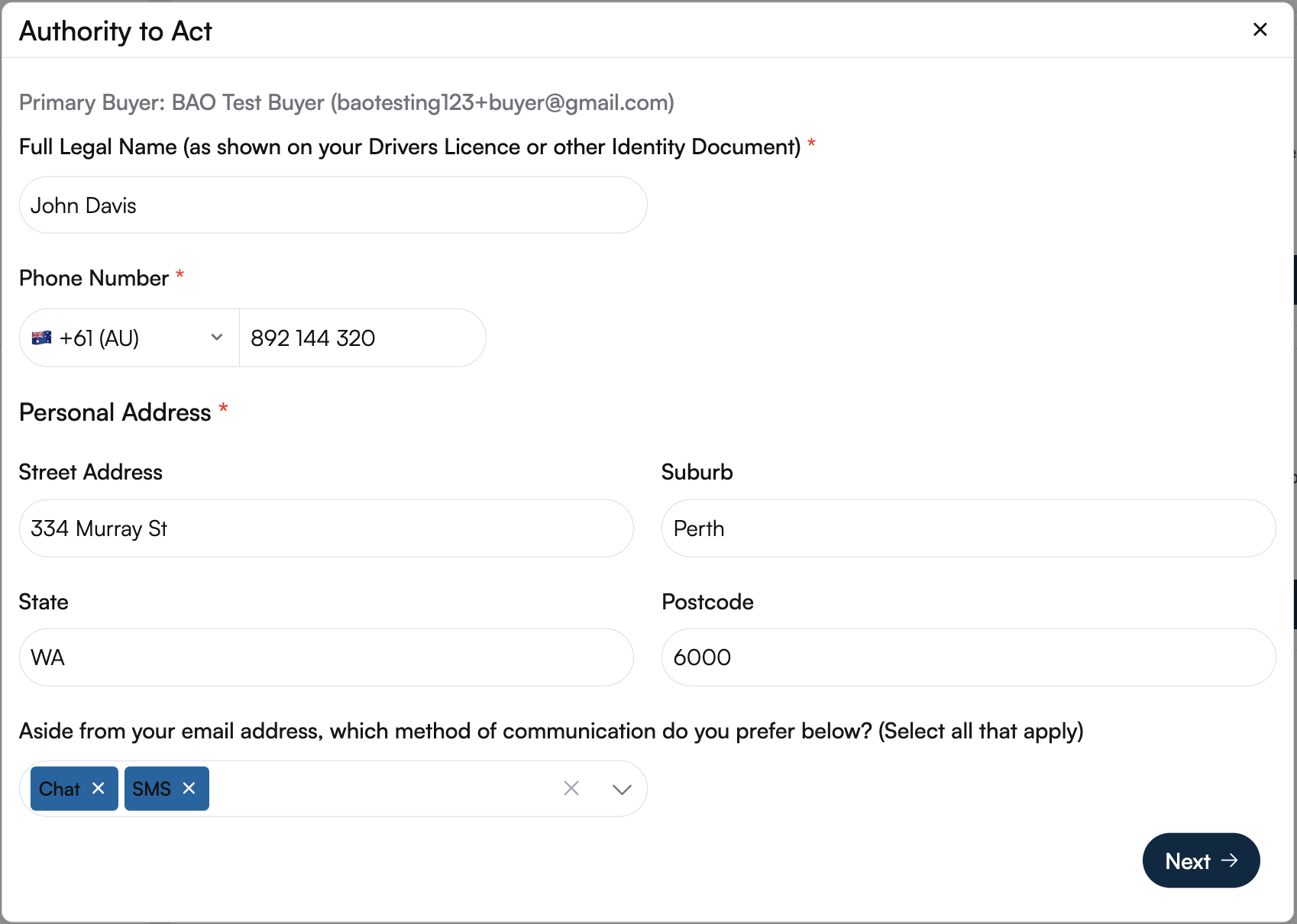
The Authority to Act form authorises your buyer’s agent to represent you and negotiate on your behalf. Completing this form accurately is required before your campaign can progress.
Enter your full legal name as it appears on your official identification (driver’s licence, passport, or other ID).
Provide your active phone number and ensure the correct country code is selected.
Enter your complete personal address, including:
Street address
Suburb
State
Postcode
Select Your Preferred Communication Method
Chat
SMS
Phone call
Select the entity type that applies to your purchase:
Individual(s) – For private buyers purchasing in their personal name
Company – For purchases made under a registered business or corporate entity
Trust – For properties purchased under a trust structure (e.g. family or discretionary trust)
SMSF (Self-Managed Super Fund) – For purchases made through a self-managed superannuation fund
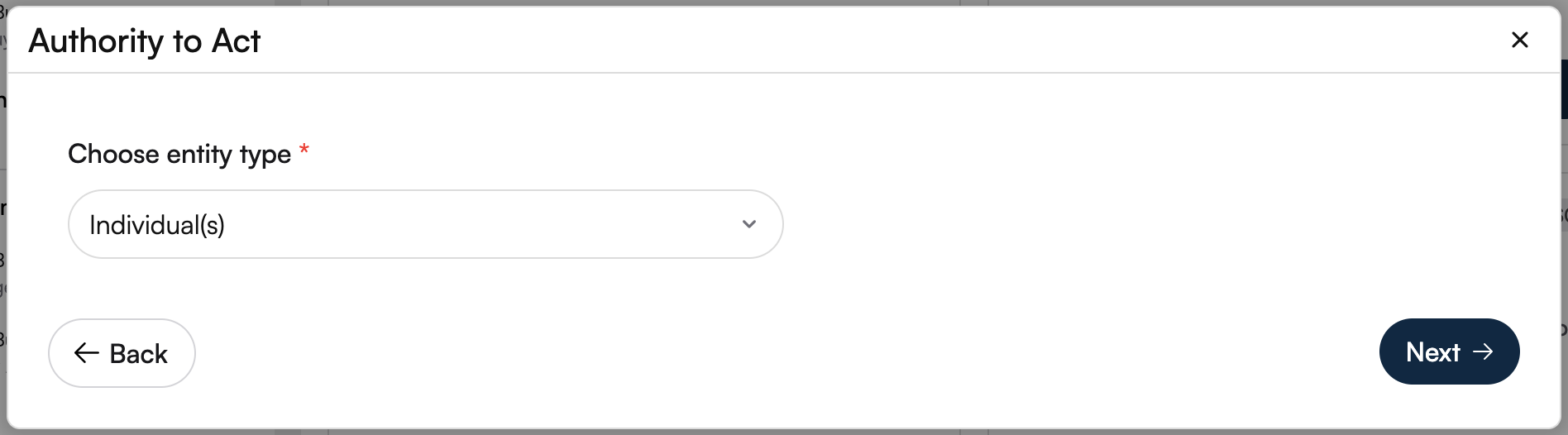
Note: Ensure the correct entity type is selected, as this may impact legal, financial, and taxation considerations.
If additional buyers or signatories are involved:
Select Yes and specify the number of buyers
Enter the email addresses of all required
signatories
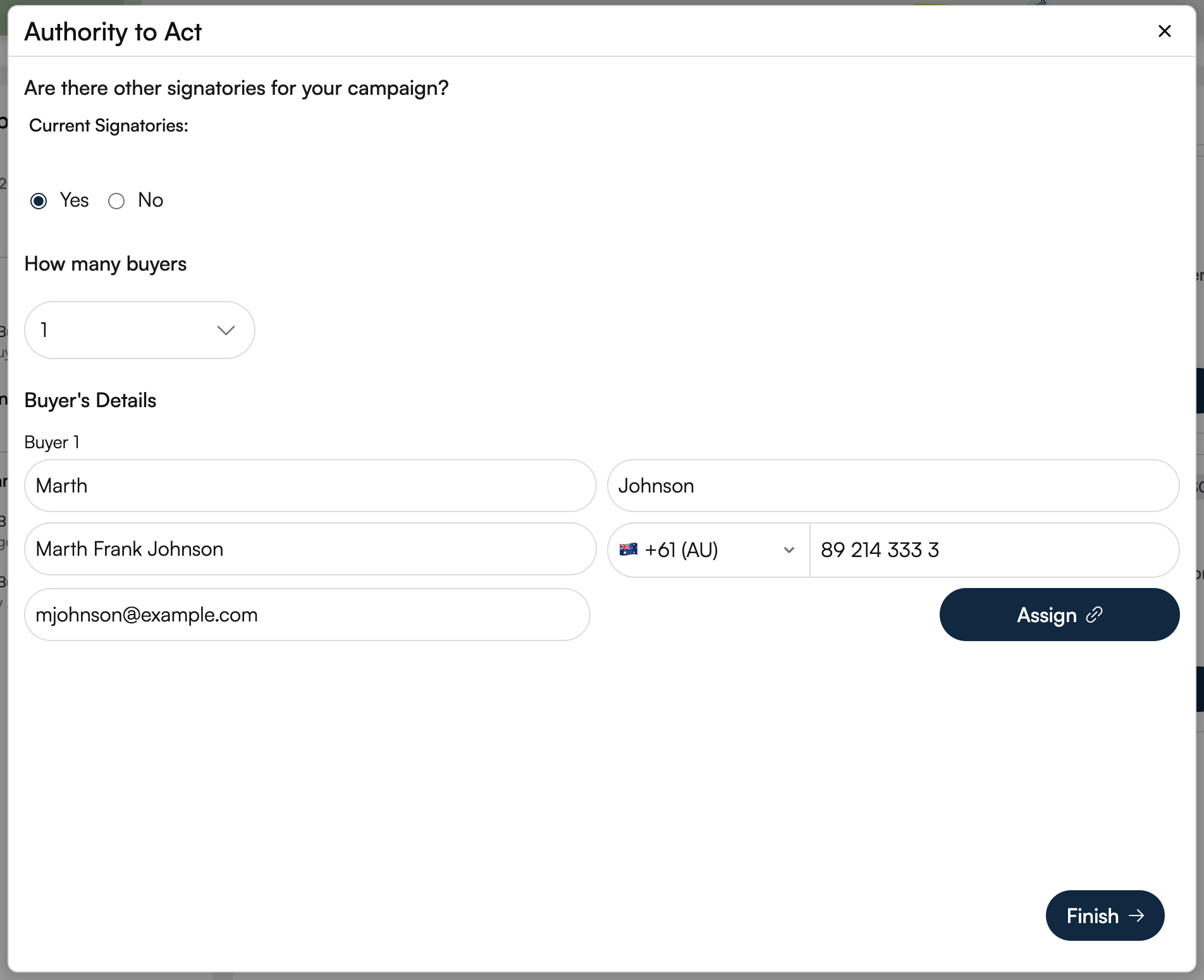
Click Finish to finalise the process.
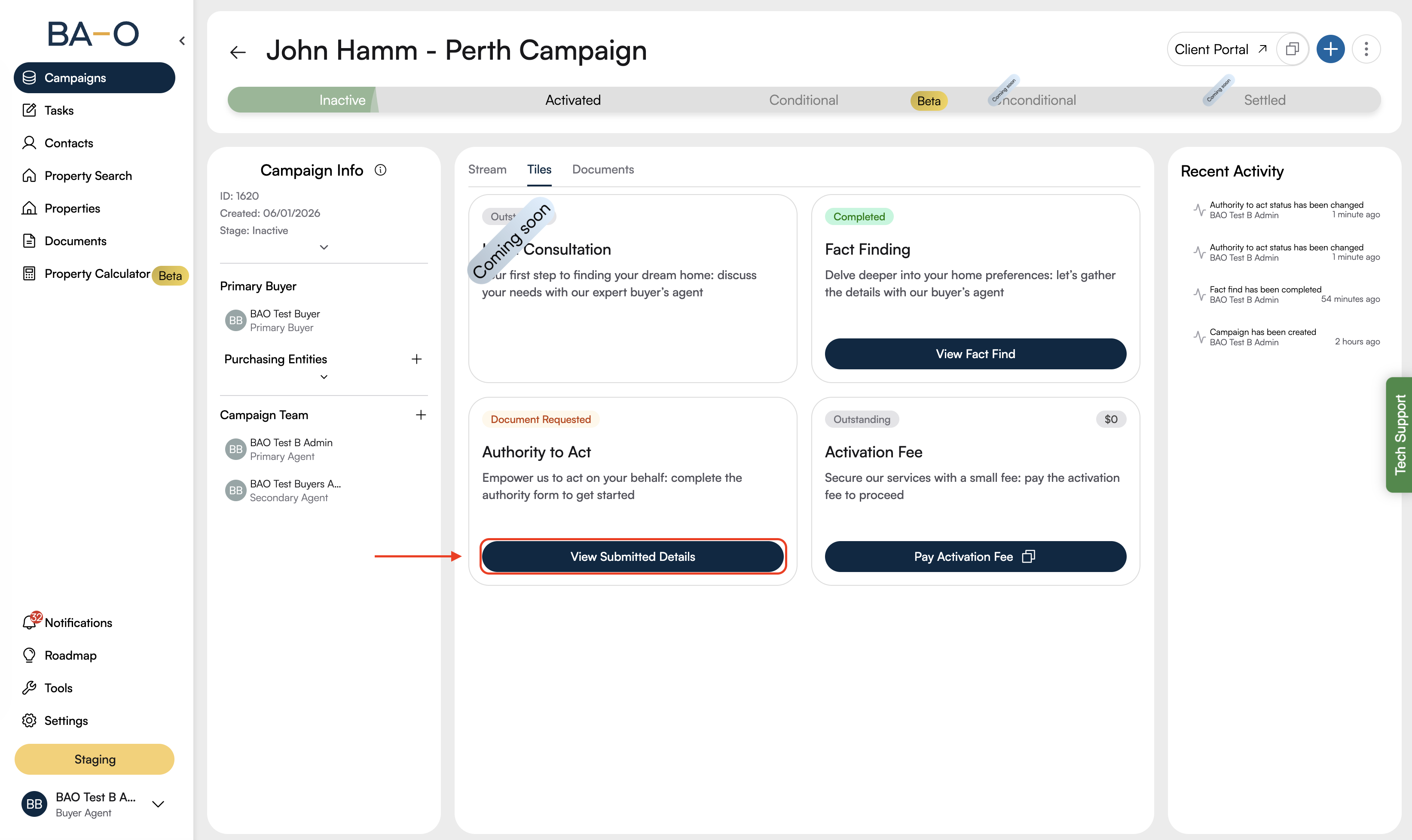
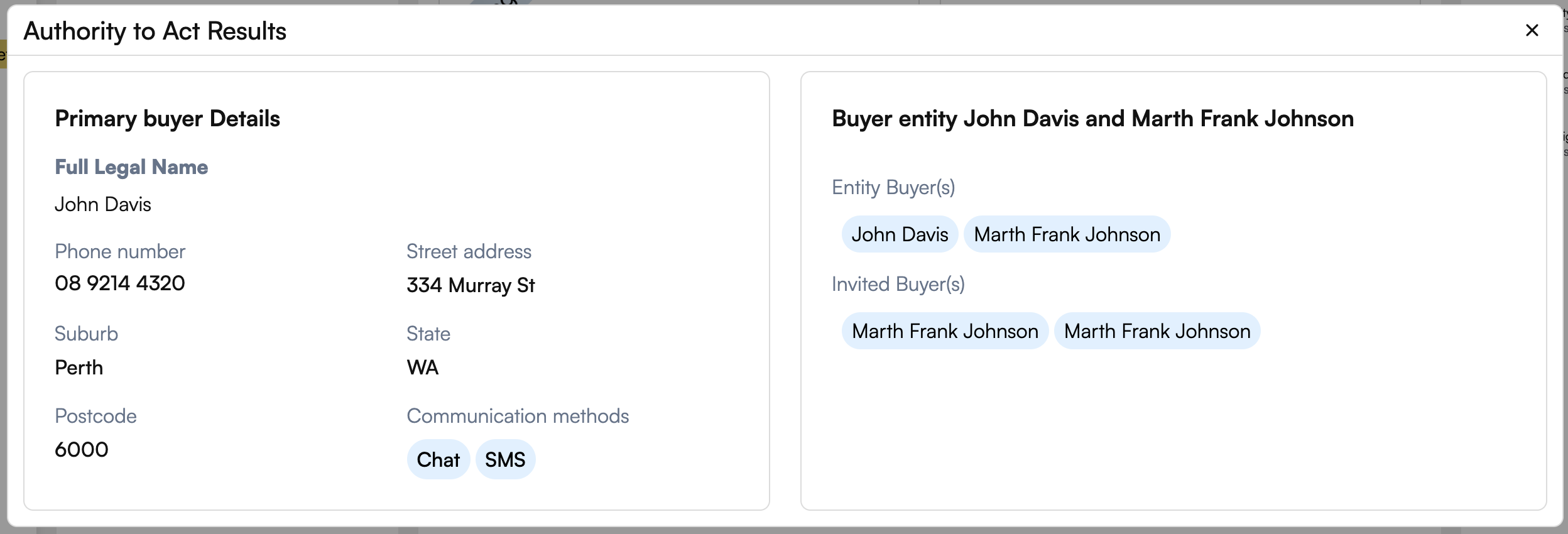
Once the Authority to Act form is Submitted, click on “View Submitted Details“ to review the information entered to ensure accuracy.
If you need any assistance completing the Authority to Act form, please contact our support team for guidance.