To activate your campaign and move forward with our services, an activation fee must be paid. Payments are processed securely via Stripe.
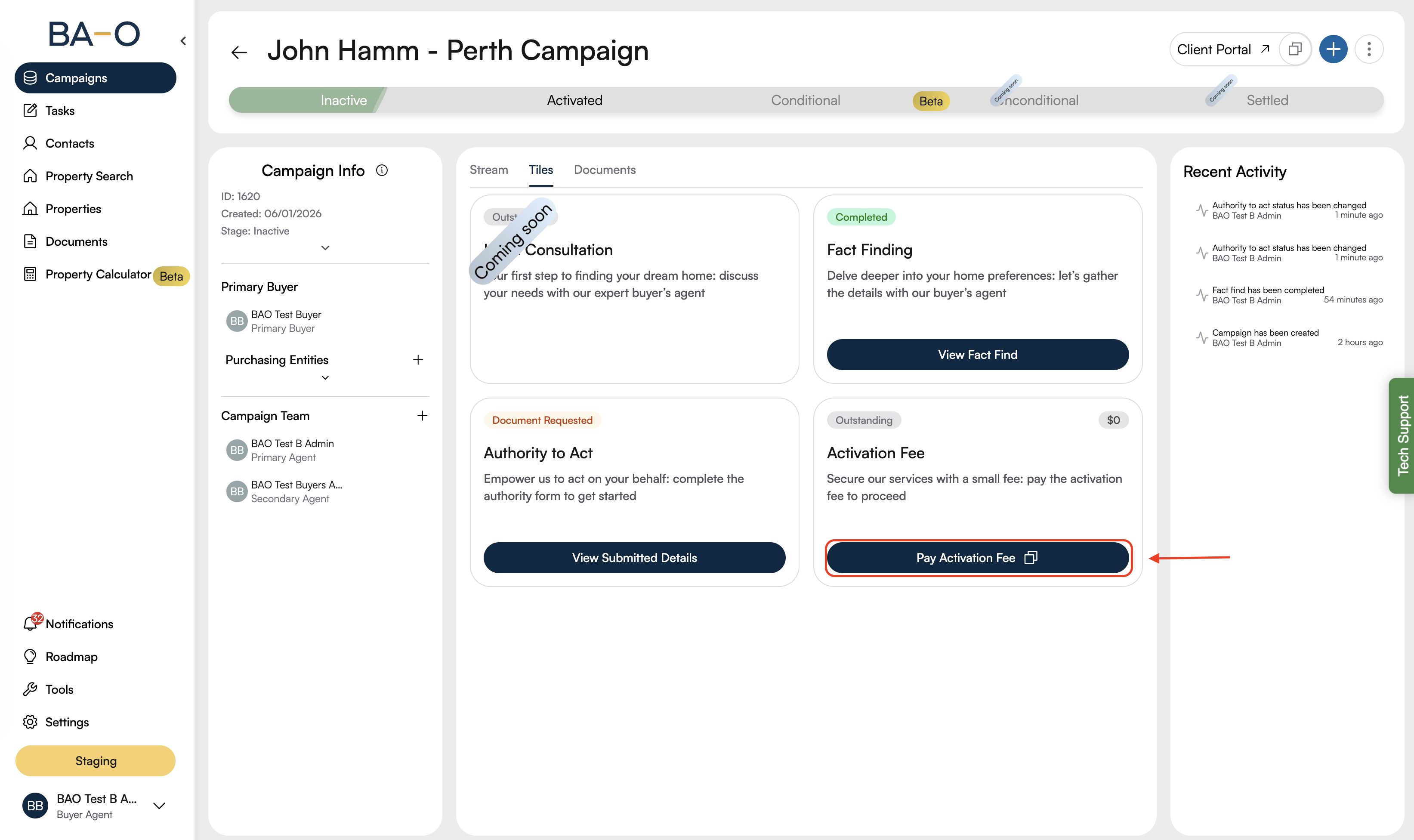
Log in to your Buyer’s Agent Online portal.
Navigate to the Campaigns page.
Open the Inactive campaign you want to activate.
Click Pay Activation Fee.
Alternatively, copy and paste the provided payment URL into your browser.
You will be redirected to a secure payment page powered by Stripe.
Review the activation fee amount displayed (including GST).
Ensure all details are correct before proceeding.
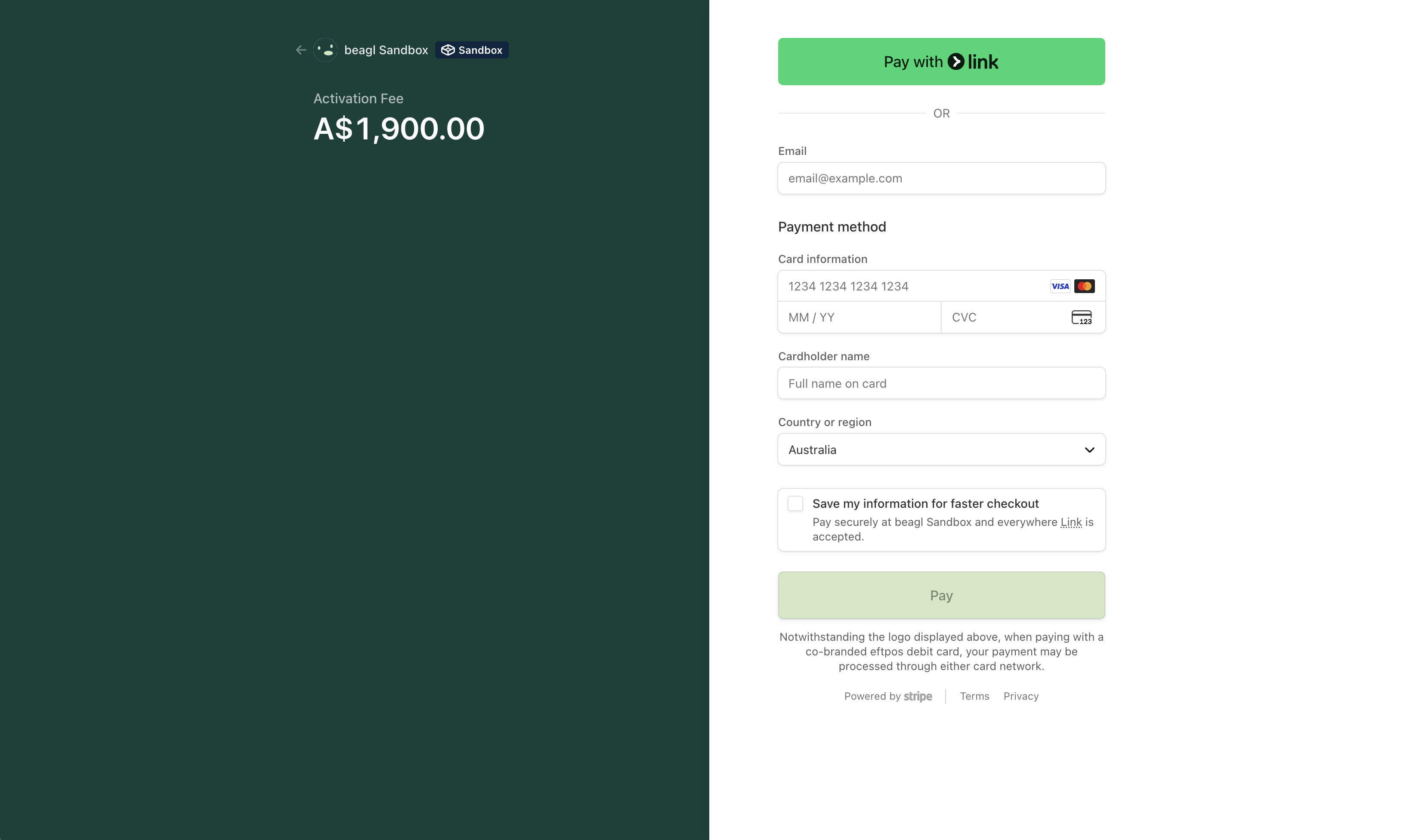
Enter your registered email address to receive payment confirmation.
Provide your card details, including:
Card number
Expiry date (MM/YY)
CVV/CVC (security code)
Enter the cardholder name exactly as it appears on the card.
Confirm the preselected country or region is correct (e.g. Australia).
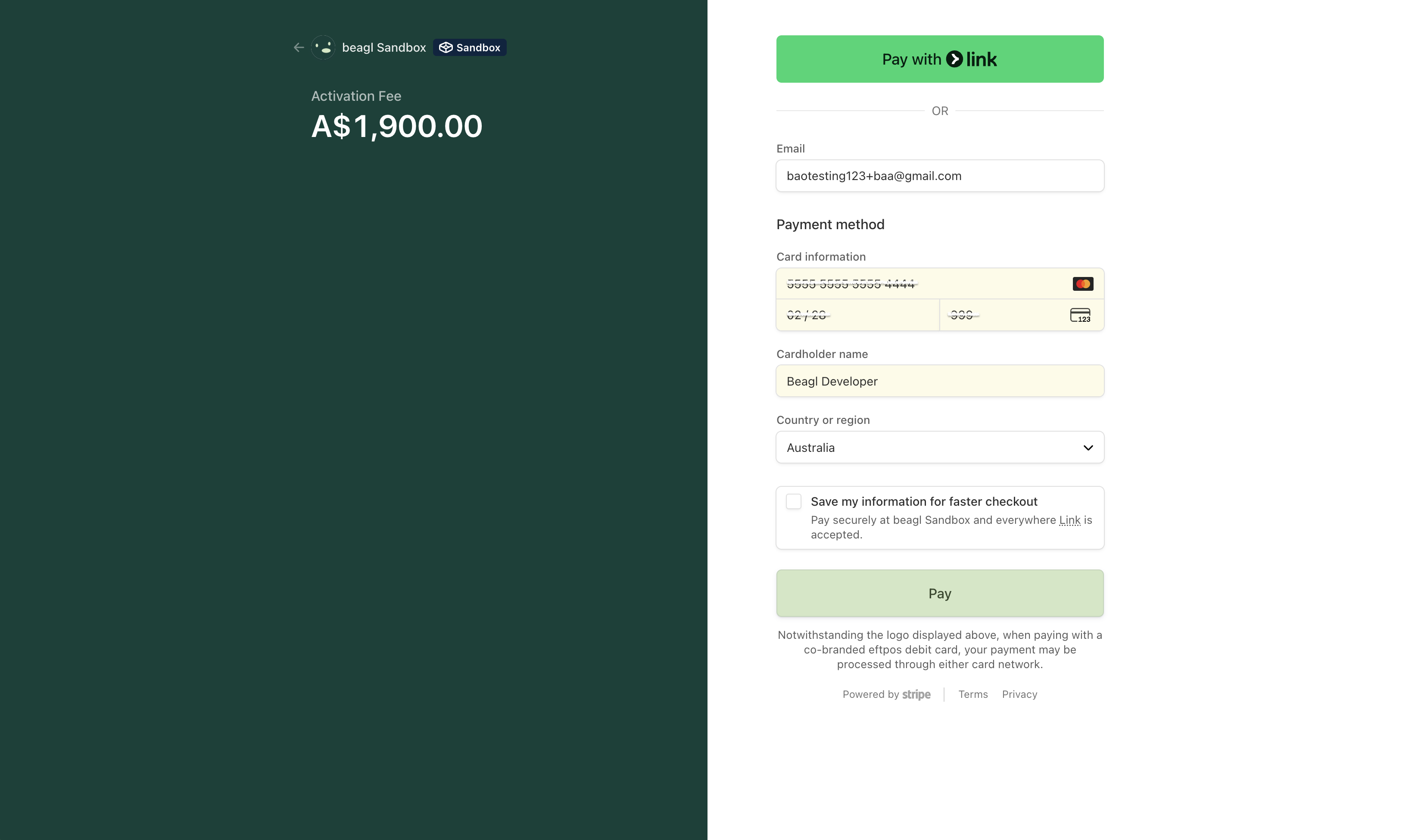
Click Pay to process the payment.
Wait for the on-screen confirmation message.
Once the payment is successful, you will receive an email confirmation and it will be updated on the portal.
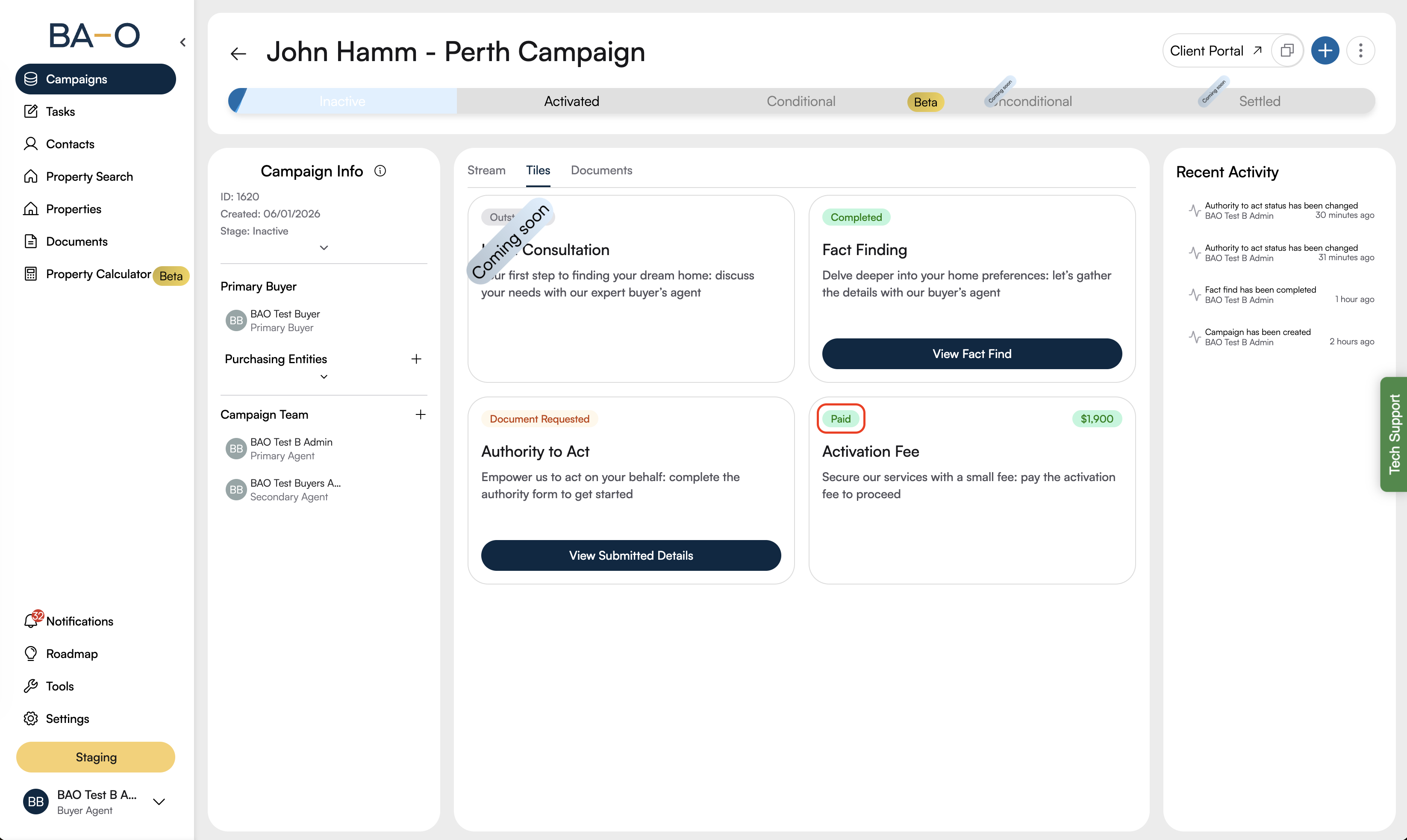
You can now proceed with the next steps in your service process.
If your payment fails:
Double-check your card details
Try a different card if available
Confirm your bank has not blocked the transaction
If you continue to experience issues, please contact our support team for assistance