Activating your campaign allows your buyer’s agent to begin searching for and negotiating properties based on your requirements.
Log in to your Buyer’s Agent Online portal.
Navigate to the Campaigns section from the main menu.
Locate the campaign in Inactive campaign list.
Before activating a campaign, ensure the following steps are completed.
Book a consultation with your buyer’s agent.
Discuss your property goals, budget, and preferences.
Complete the Fact Find form to capture detailed property requirements.
This includes your ideal property features, preferred locations, and investment goals.
Fill out the Authority to Act document.
This grants your buyer’s agent permission to act and negotiate on your behalf.
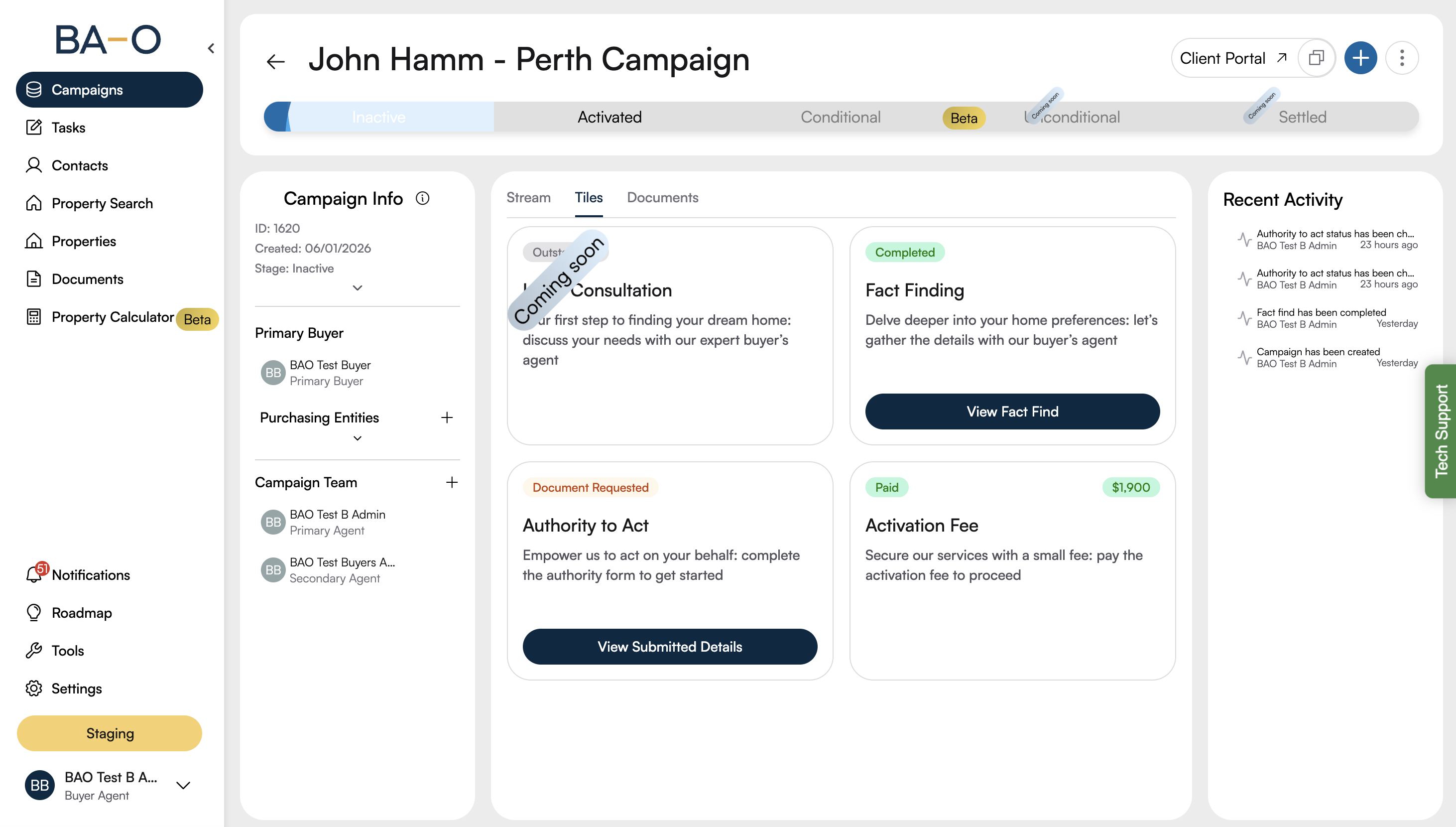
On the campaign card or
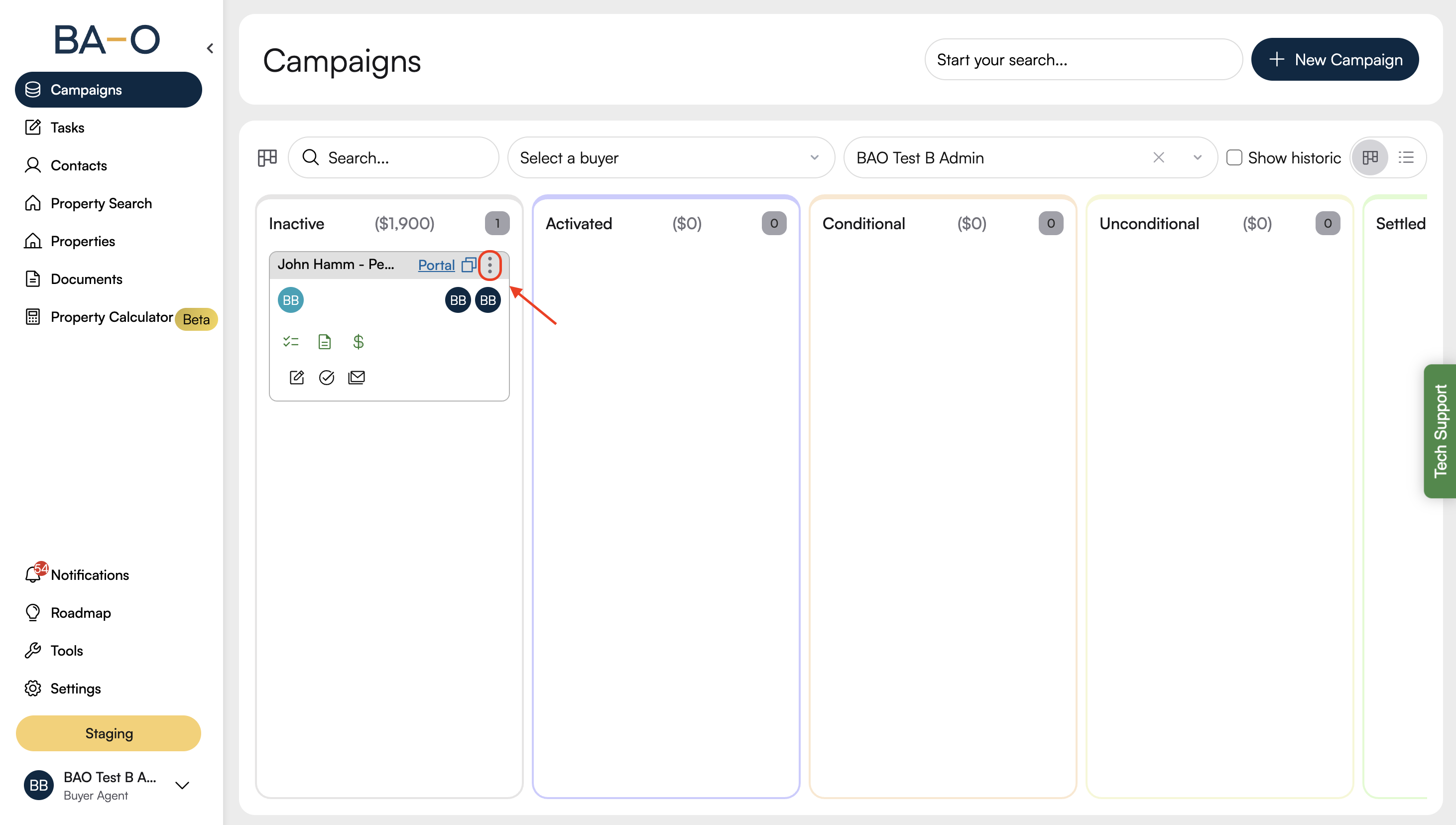
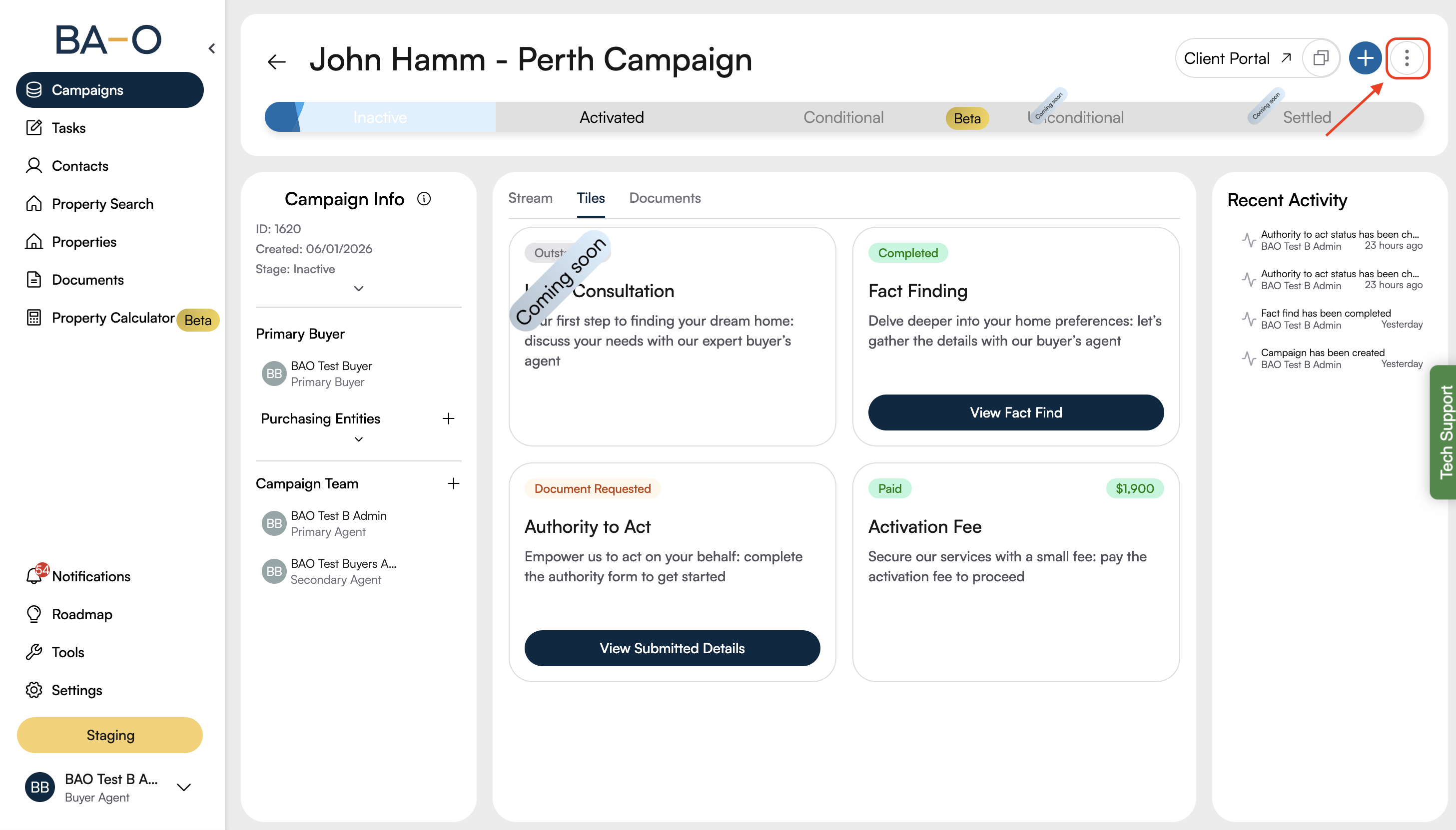
Campaign details page, click the vertical ellipsis (⋮) at the top right.
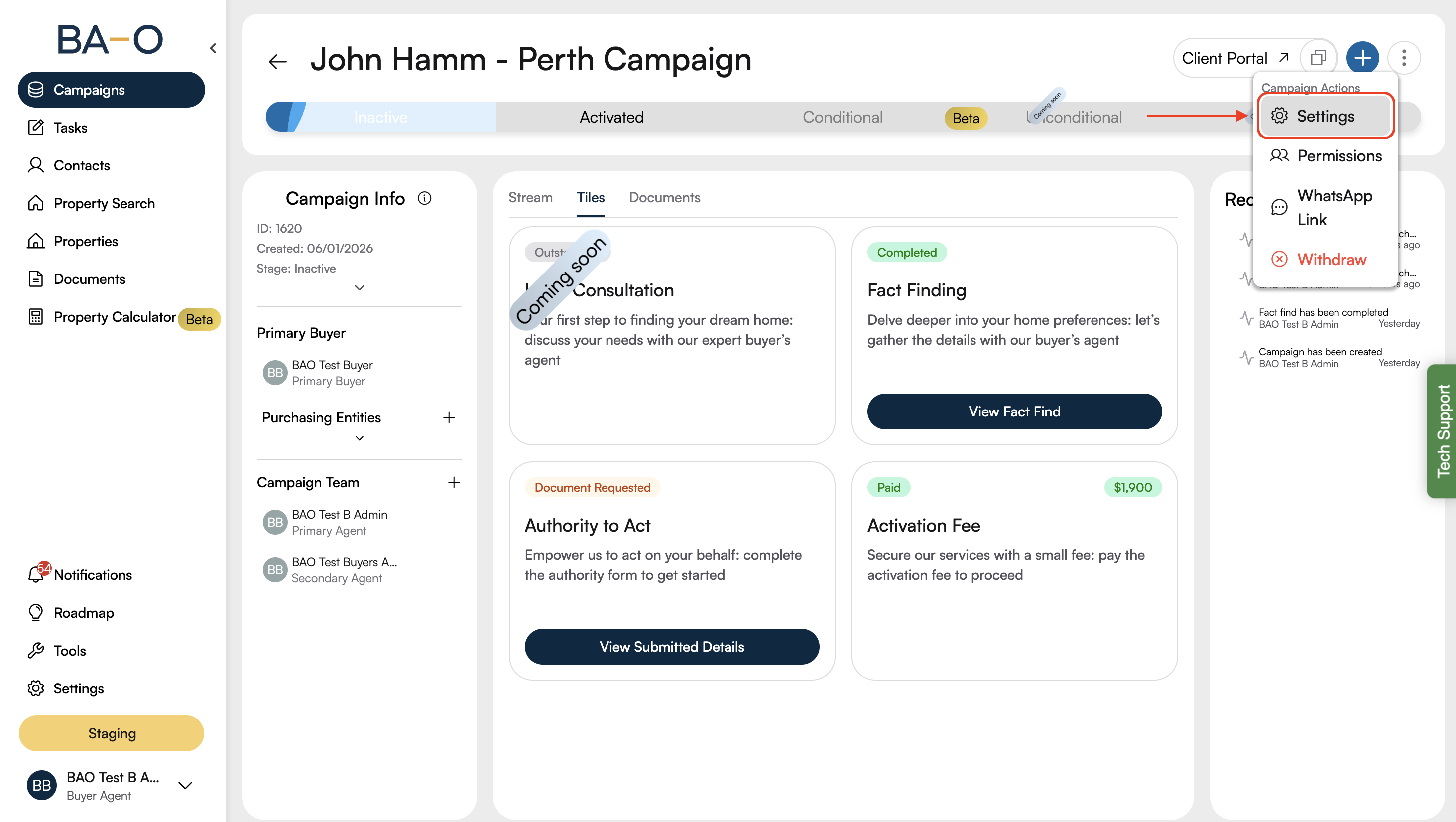
Select Settings from the dropdown menu.
In the pop-up, open the Stages tab.
From the status dropdown, select Activated.
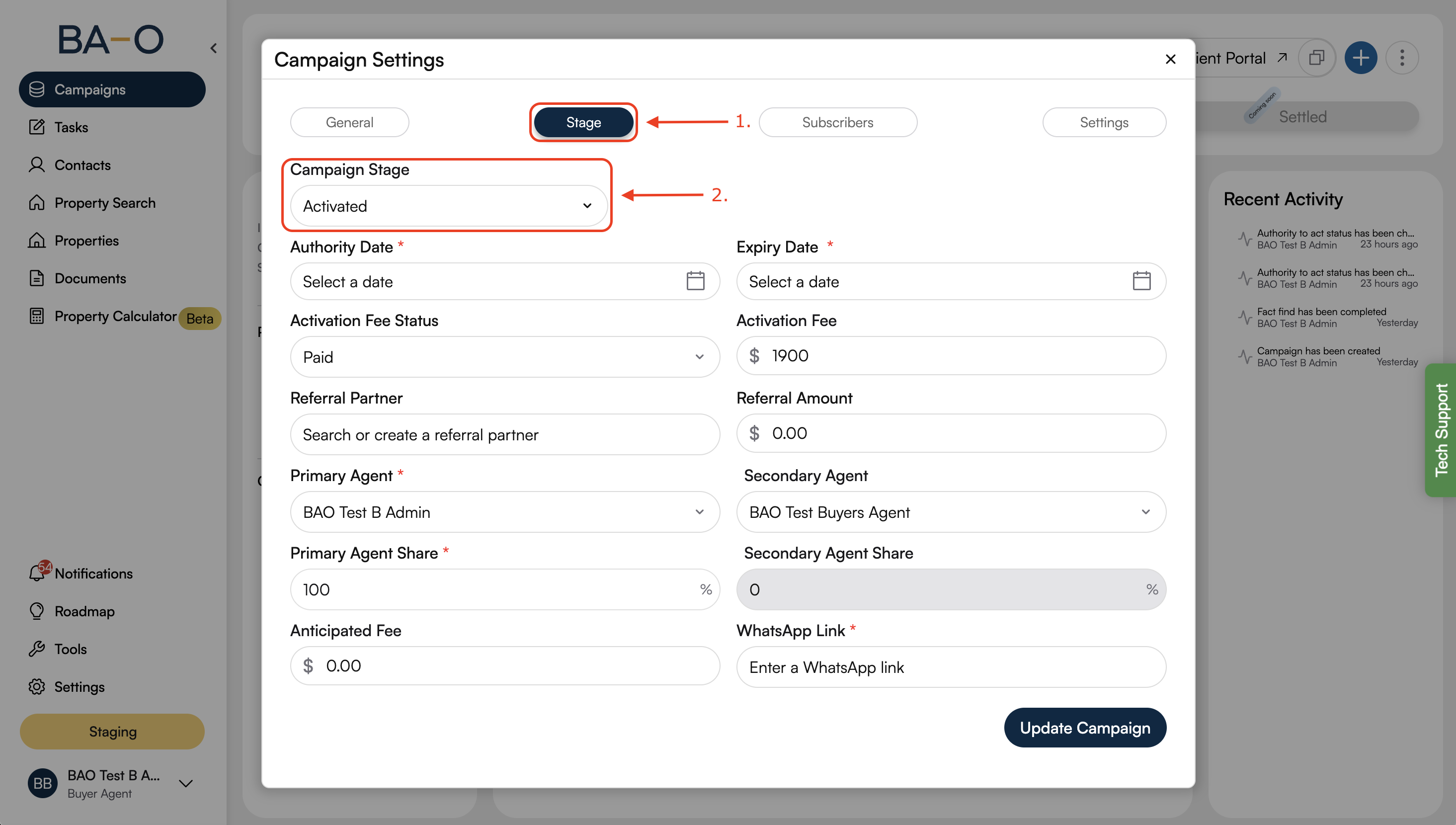
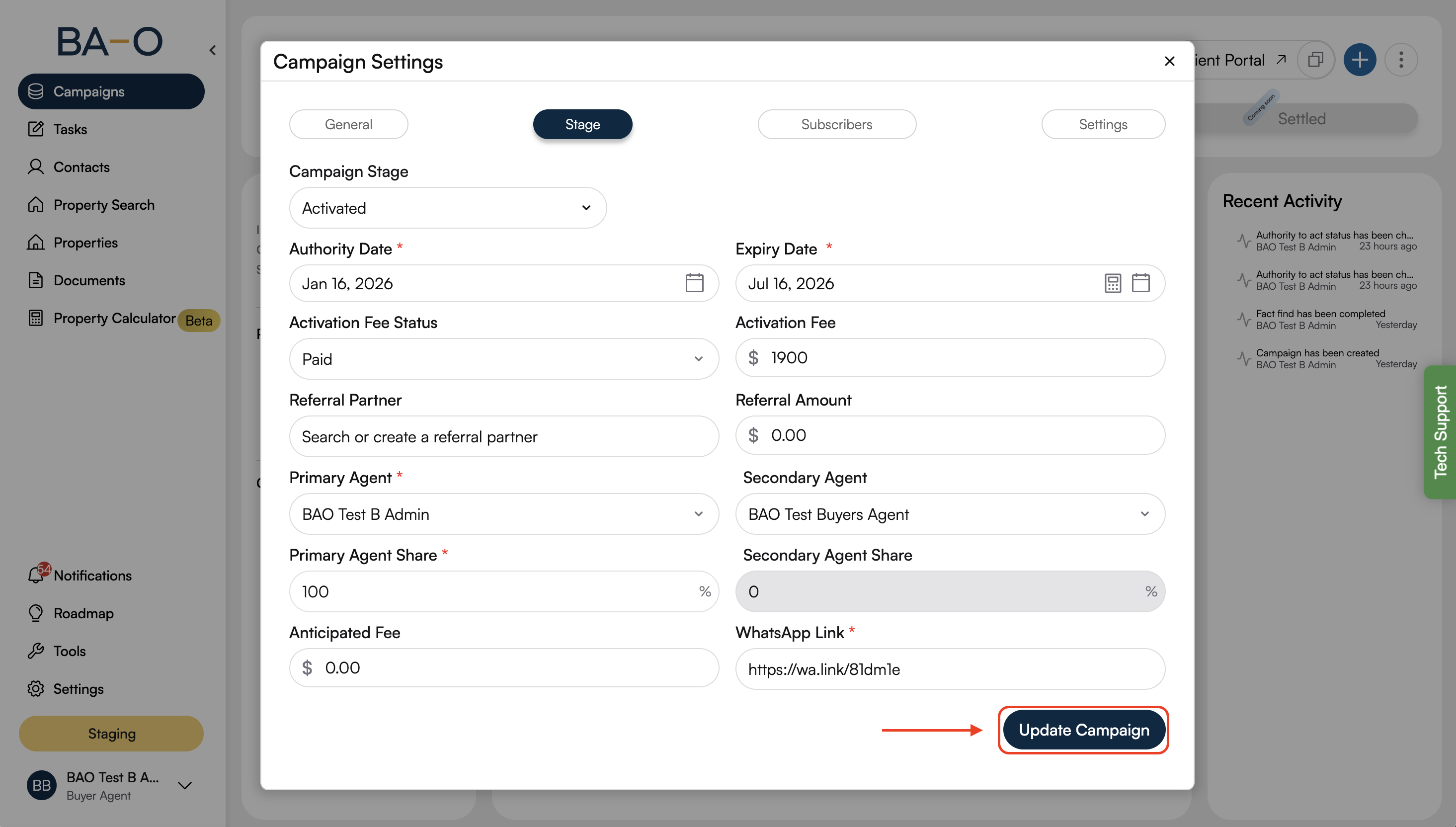
Fill in the required fields in the settings tab
Click Update Campaign to confirm and update the campaign status.
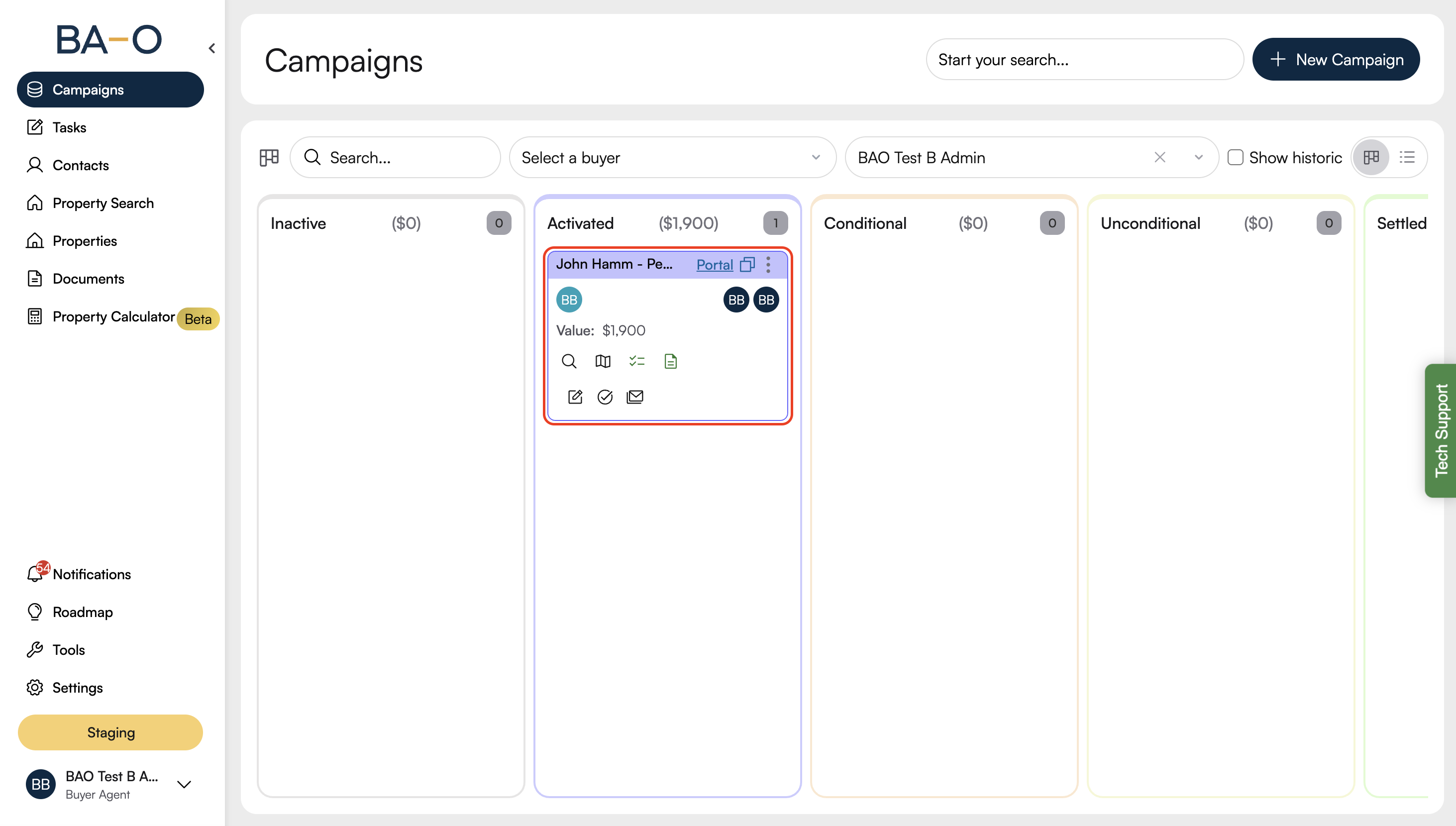
Your campaign is now active. Your buyer’s agent can begin searching for and negotiating properties based on your requirements.
If you are unable to activate your campaign or have questions about any step, please reach out to our support team for assistance.