Overview
This article explains how to create a new campaign in Buyer’s Agent Online. Creating a campaign allows you to start your property journey and connect with a buyer’s agent. Once created, the campaign will appear in your dashboard.
Step 1: Access Your Campaign Dashboard
Log in to your Buyer’s Agent Online portal.
Step 2: Start Creating a New Campaign
Click the Create Campaign button.
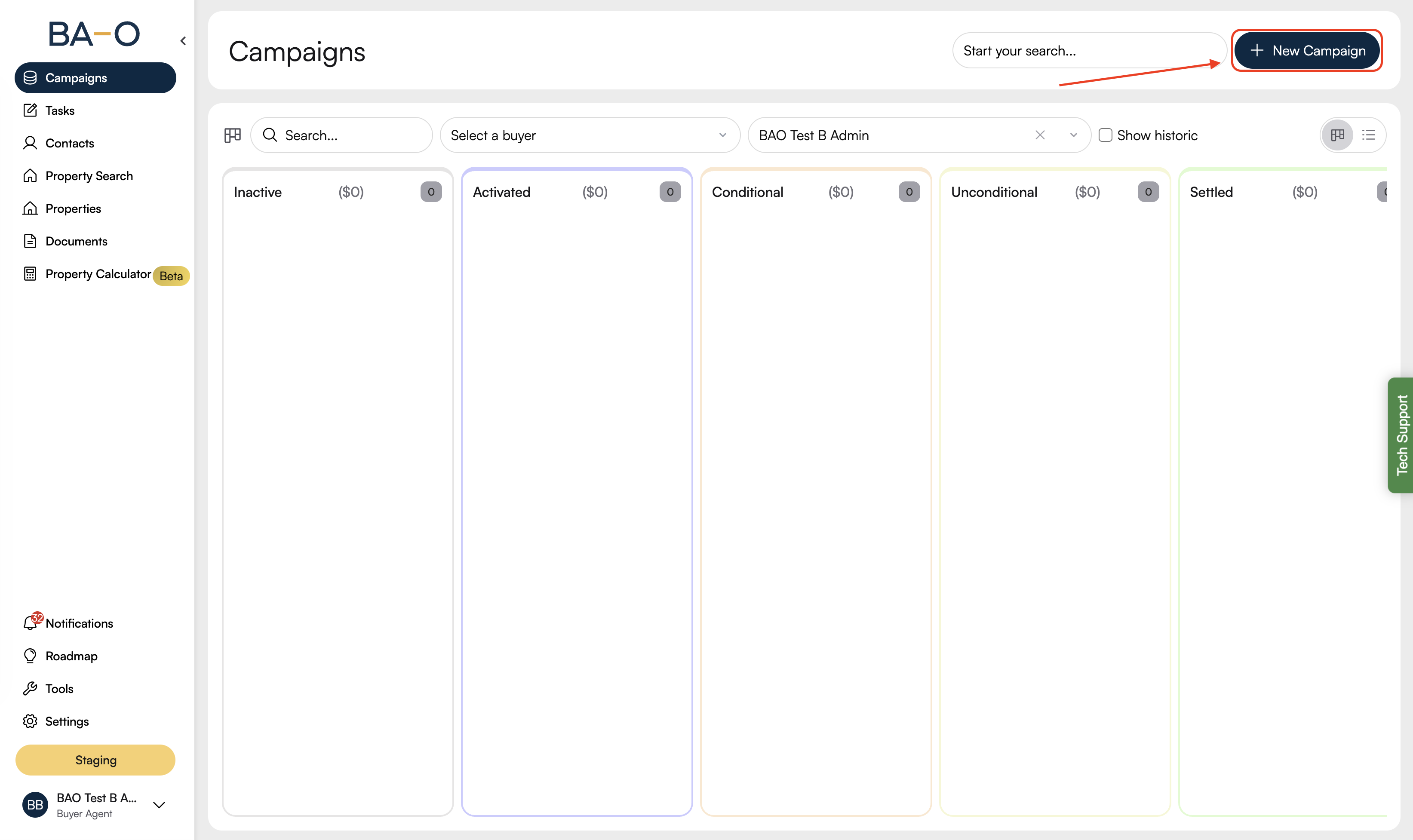
A campaign creation form or modal will open.
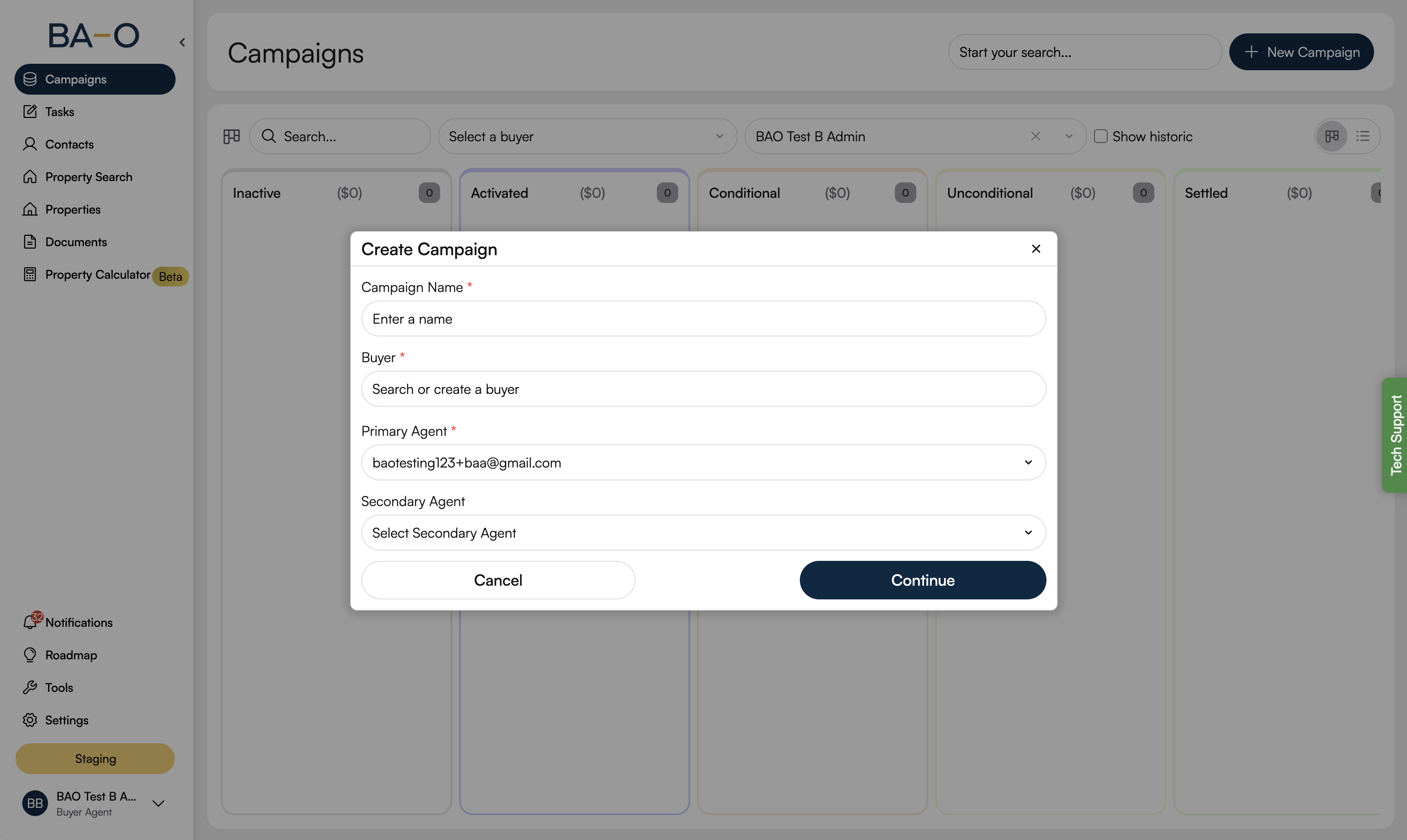
This is where you begin setting up your new campaign.
Step 3: Enter Campaign Details
Enter a Campaign Name to help you identify the campaign.
Select the buyer of the campaign.
Primary Agent field should be preselected with your ID.
Select Secondary Agent if Applicable.
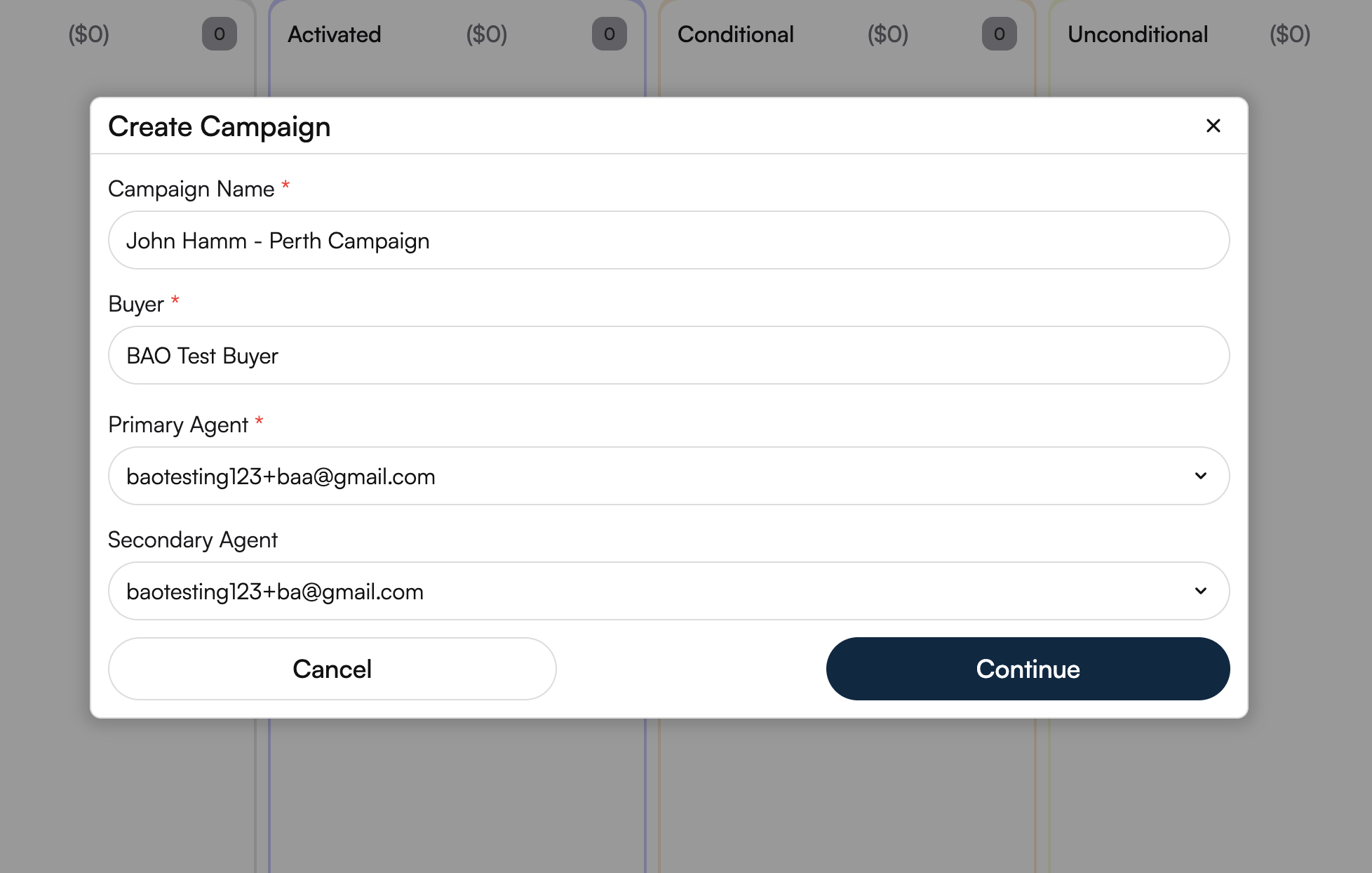
Ensure all mandatory fields are completed before proceeding.
Step 4: Save the Campaign
Review the information you have entered.
Click Create Campaign button to create new campaign.
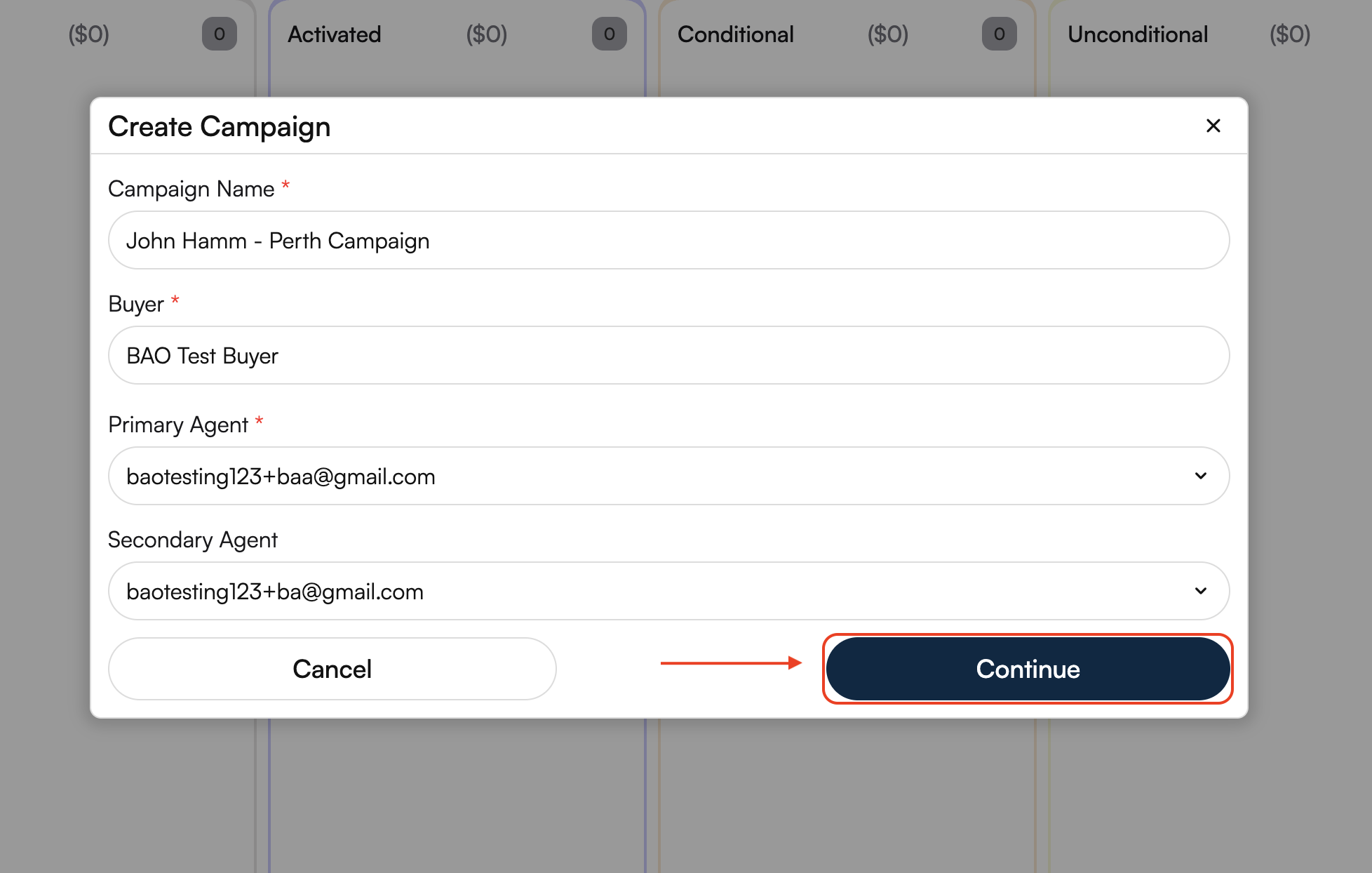
The campaign will now be created and added to your campaign list.
Campaign Created
Your campaign has been successfully created and will appear in your Campaign Dashboard.
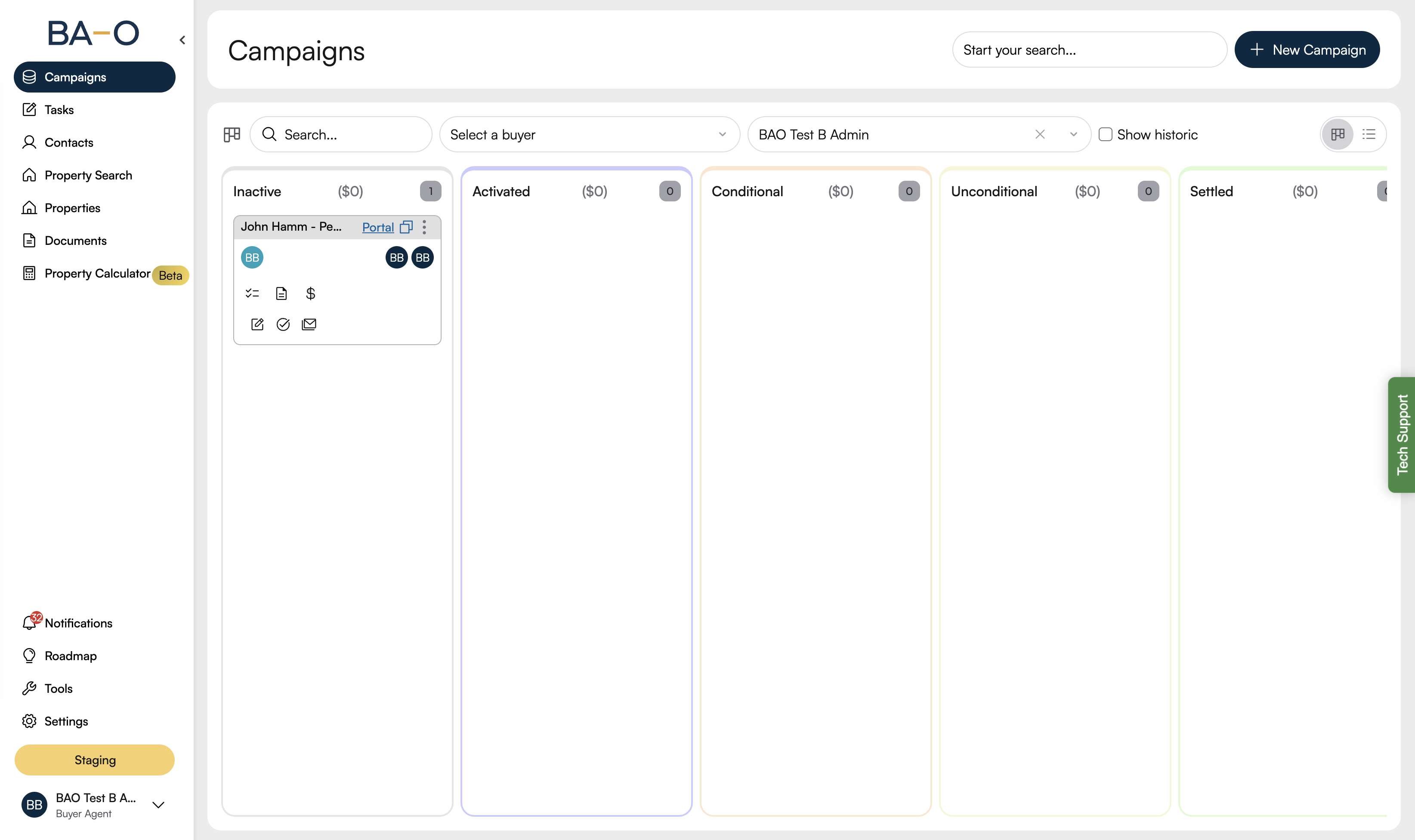
At this stage, the campaign is Inactive until required steps (such as consultation, Fact Find, and Authority to Act) are completed.
Next Steps
After creating a campaign, you can:
Complete the required onboarding steps
Update campaign settings
Activate the campaign when ready
Need Help?
If you’re unable to create a campaign or encounter any issues, please contact our support team for assistance.